Rocky Mountain Power: the smart meter and what to expect
What to do before you plug in: request a bidirectional smart meter from RMP, what their visit looks like, and what your bill will show.
Last updated 2026-04-27
TL;DR: HB 340 doesn’t require you to tell Rocky Mountain Power anything. But you do want a bidirectional smart meter before you plug in. RMP installs them for free, but the request goes faster if you ask. Without one, any power you export can be billed as consumption — exactly the wrong direction.
Why the meter matters
A traditional electric meter only knows one thing: power flowing into your home. It can’t tell the difference between a kilowatt-hour you bought from the grid and a kilowatt-hour you produced and sent back. On the wrong meter, both move the dial the same way.
A smart meter is bidirectional. It tracks both directions separately. When you’re producing more than you’re using, it counts the export but doesn’t bill you for it. When you’re consuming, it bills normally.
Under HB 340 you don’t get paid for what you export, that’s the offset-only tradeoff. But the smart meter makes sure you don’t get charged for it either. That distinction is the whole reason this step exists.
How to request your meter swap
RMP is gradually upgrading every customer to a smart meter as part of their broader rollout. You’ll get one eventually. But asking moves you up the queue.
The process takes about two minutes. Here it is, step by step.
Step 1 — Sign in to your RMP account
Go to rockymountainpower.net and sign in. If you don’t have an online account yet, click Create profile and register, you’ll need your account number and zip code.
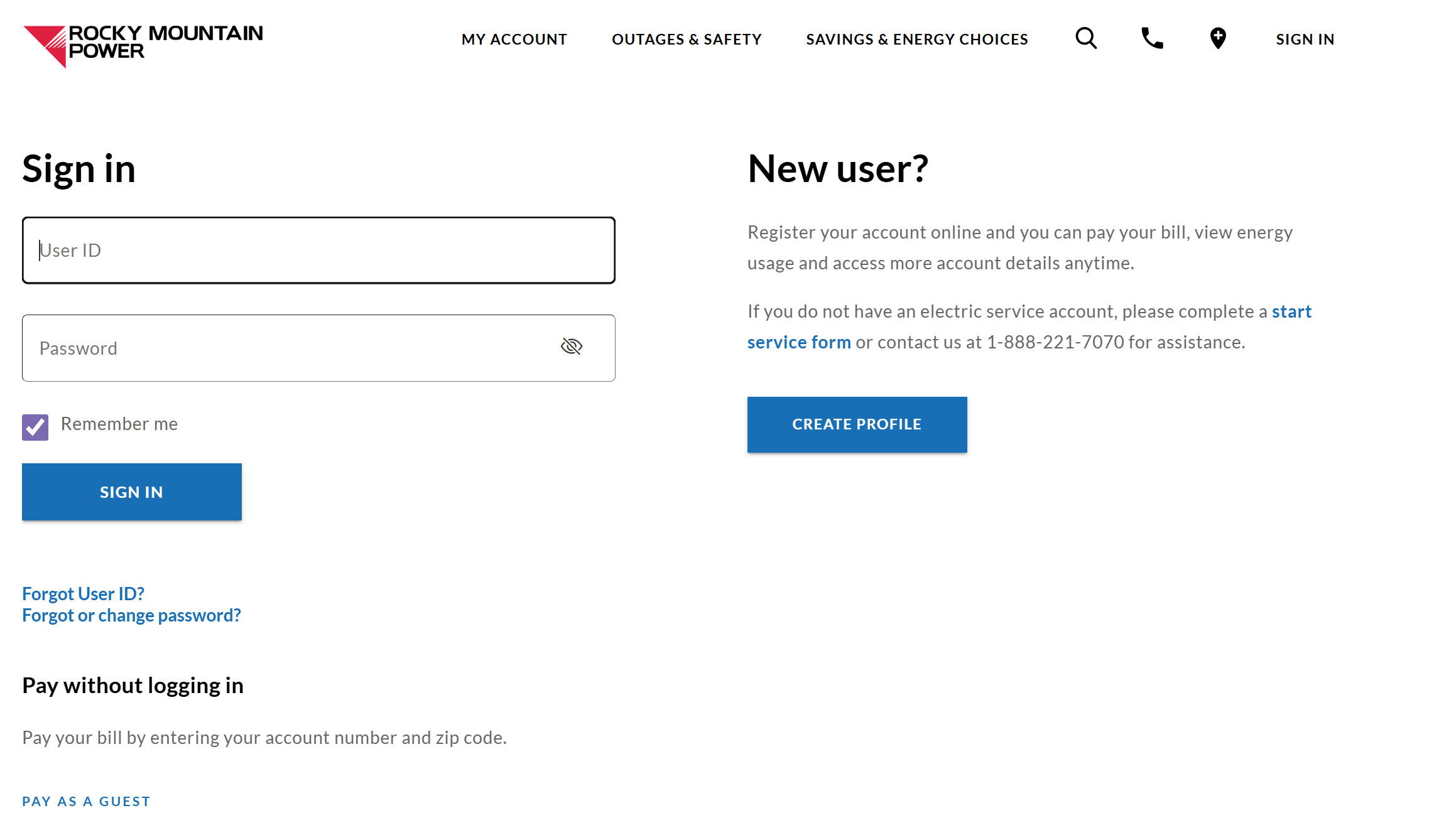
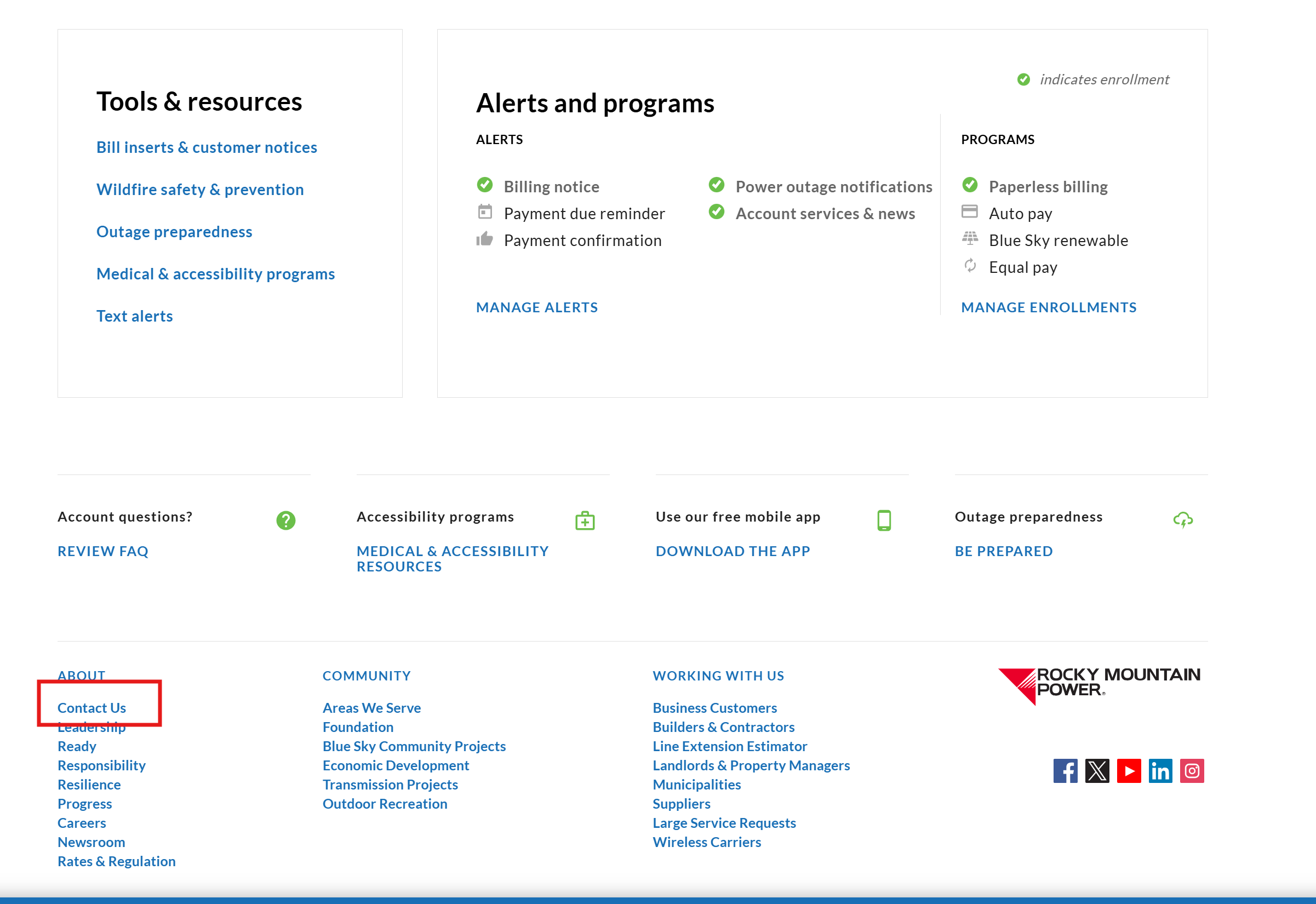
Step 2 — Scroll to the footer and click Contact Us
Once signed in, scroll to the very bottom of any page. Under the About column on the left, click Contact Us.
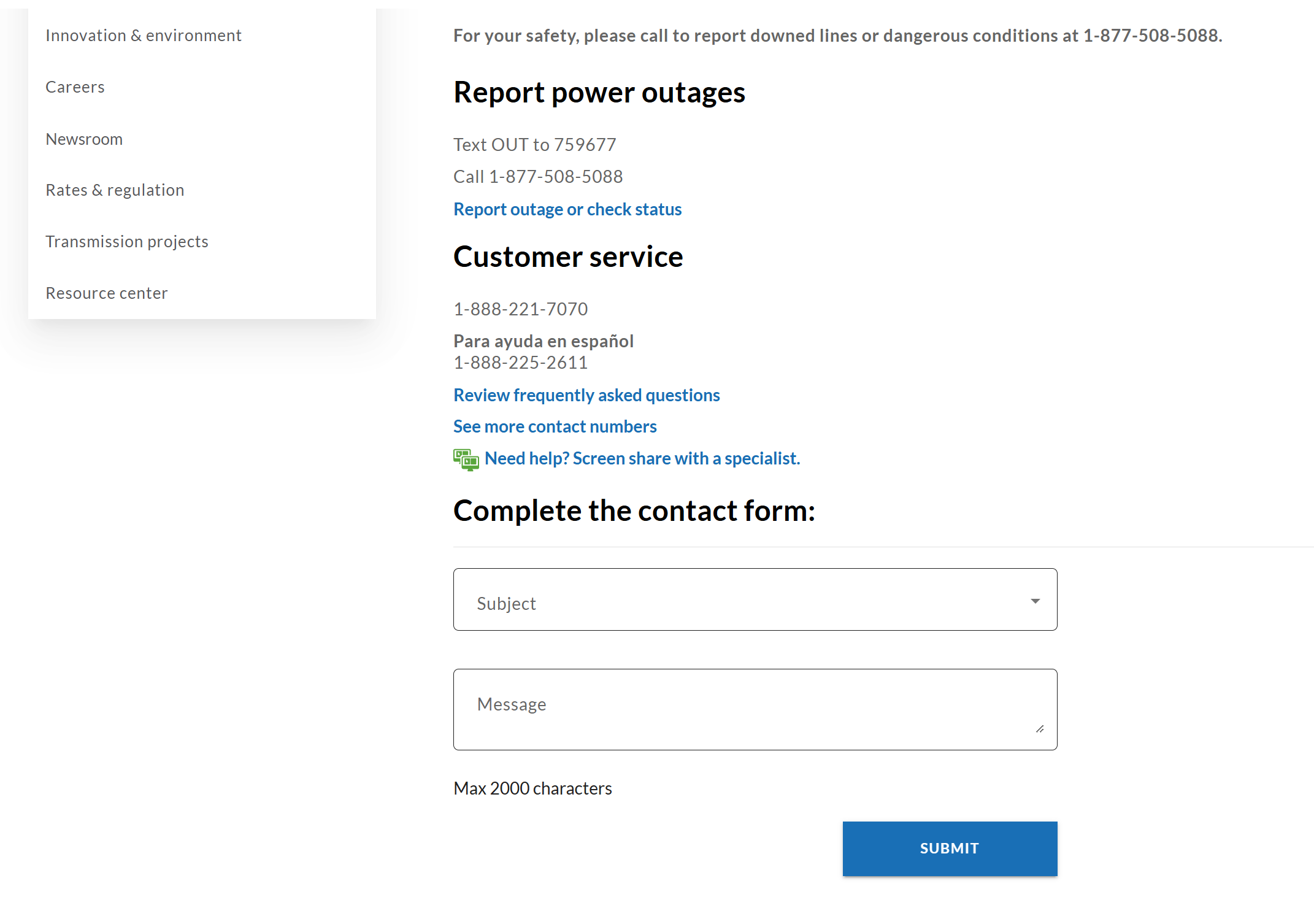
Step 3 — Find the contact form
Below the customer service phone numbers, you’ll see a Complete the contact form section. That’s where the request goes.
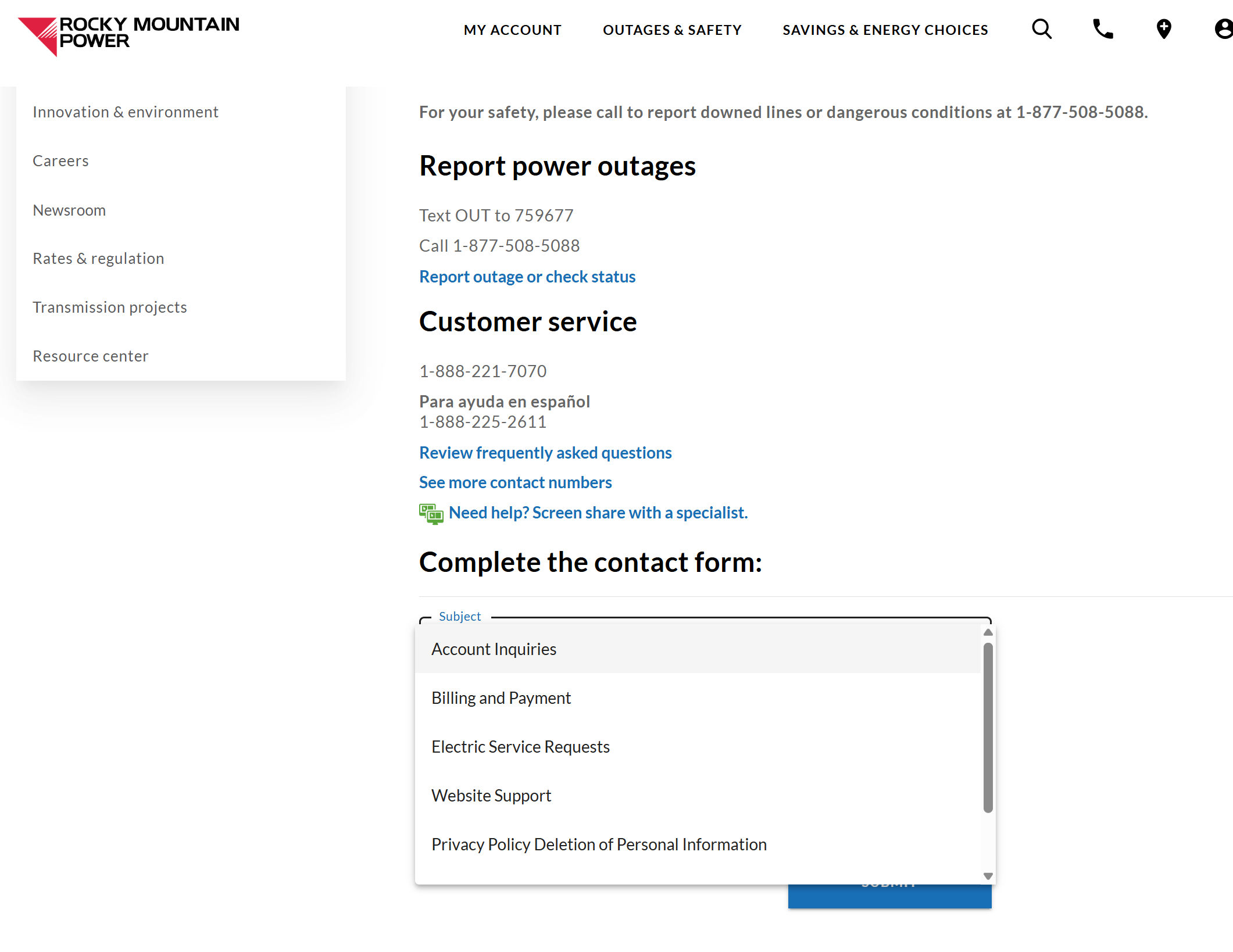
Step 4 — Choose Account Inquiries
Click the Subject dropdown and select Account Inquiries.
Step 5 — Send the request
In the message field, write something like:
I’m installing a plug-in solar device under HB 340 (under 1,200W AC, UL-certified, NEC-compliant). Please install a bidirectional smart meter at my service address so my export does not register as consumption.
Hit Submit and you’re done. RMP also publishes a meter upgrade page with general info if you want to read more.
What happens next
Within a few weeks, RMP will schedule a meter swap. The visit itself is short — a technician pulls the old meter and clicks in the new one. There’s a brief power interruption (usually under a minute) while it’s swapped.
There is no fee for the meter or the swap. It’s a standard service upgrade, not a paid service.
After the swap, the new meter starts logging both directions immediately. No software setup on your end. No app to install (though RMP’s online dashboard now shows daily usage curves that are useful for spotting your solar offset).
What your bill will look like
Once the smart meter is in and you’ve plugged in your kit, your monthly bill should show a lower kWh consumed number on the same Schedule 1 (residential) rate you’ve always been on. You’re still paying RMP for the power you do consume, you’re just consuming less of it because the kit covered some of it directly.
You’ll also still see the $12 customer charge (single-family, single-phase). That’s a fixed monthly fee that solar can’t offset — it’s the cost of being connected to the grid.
If your bill instead shows higher consumption than usual after plugging in, the smart meter swap didn’t happen yet, or didn’t happen correctly. Call RMP customer service at 1-888-221-7070 and reference your meter request.
What if I never request the meter?
You can plug in without doing this, HB 340 doesn’t require it. But on a non-bidirectional meter, any power you push back to the grid registers as consumption you “received.” You’ll be billed for power you generated yourself. It’s the worst-case outcome and it’s avoidable.
For practical purposes: request the meter, wait for the swap, then plug in. That’s the order.
Net metering vs. offset — one more time
Some Utah homeowners have older solar systems (installed before October 2020) with grandfathered net metering — they get full or near-full credit for exports. HB 340 plug-in systems do not get this, even if you already have grandfathered status on a separate rooftop array. The smart meter prevents you from being charged for export; it doesn’t earn you a credit.
If you already have rooftop solar with net metering and you’re adding a plug-in kit, the situation gets specific to your account, call RMP and confirm before stacking.
Quick reference
- Cost of meter swap: $0
- Time from request to install: typically 2–6 weeks
- What to ask for: bidirectional smart meter (cite HB 340)
- Where to ask: rockymountainpower.net → Contact Us → Account Inquiries
- Phone backup: 1-888-221-7070